
· ARUM Team · Installation
How to Install LED Cove Lighting — Step-by-Step Guide
A complete step-by-step guide to installing LED cove lighting yourself. From tools and planning through installation and testing — for homeowners and confident DIYers.
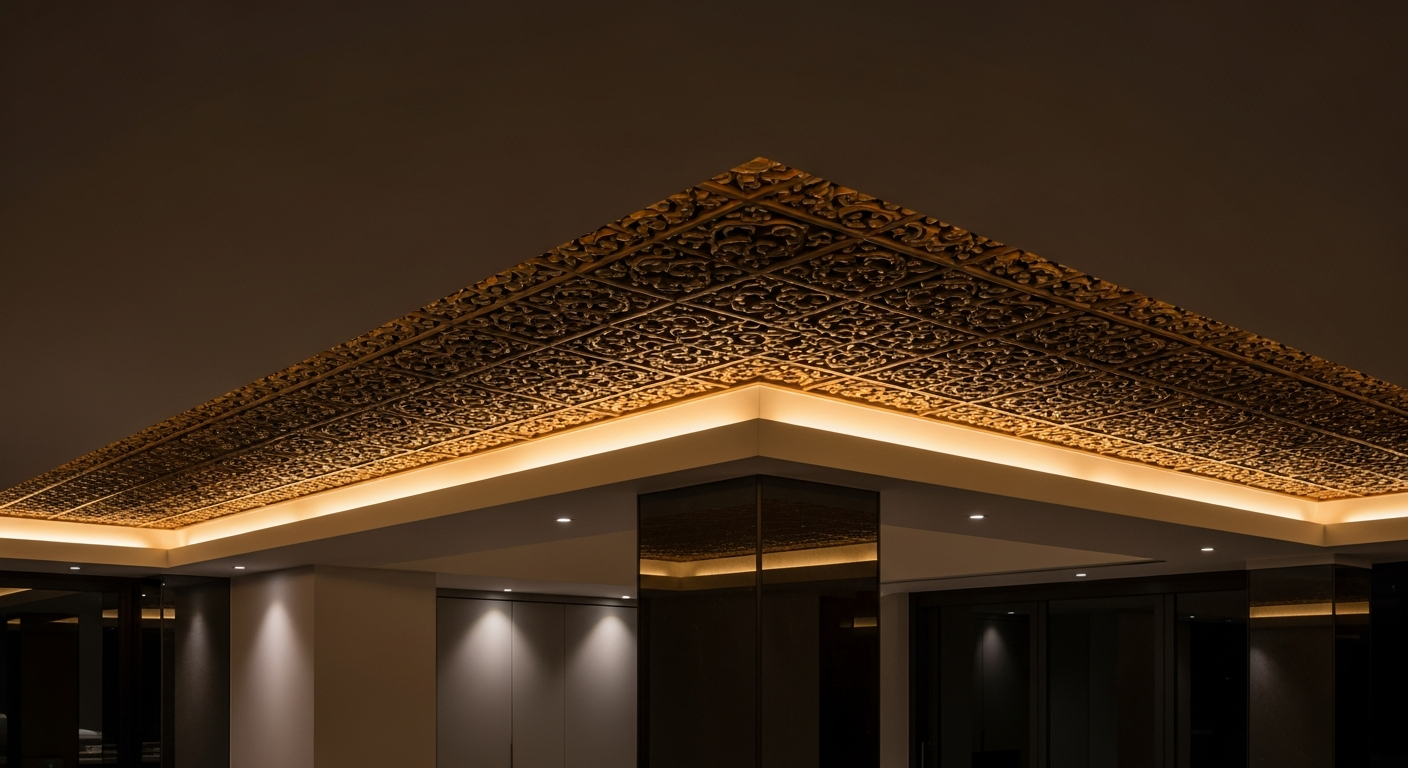
LED cove lighting is one of the most impactful ways to transform a room’s atmosphere — and the good news is you don’t need a specialist installer to do it right. With a clear process and the right tools, a first-timer can produce professional-quality results. Here’s everything you need to know.
Why Getting It Right Matters
Cove lighting done wrong isn’t just ugly — it can create safety hazards and shorten your LED lifespan significantly:
- No aluminum channel → strip runs 17–24°C hotter → lifespan reduced by half or more
- Loose wire connections → flickering and fire risk
- Wrong PSU size → end-of-run dimming or PSU burnout
- Wrong LED strip position → individual dots visible in the reflection instead of smooth light
- No ventilation for PSU → heat buildup causes premature failure
What You’ll Need
Core components:
- Cove profile (Arum Curve / Edge / Recessed) — total length matching your run
- LED strip (recommended: COB 24V 12W/m) — add 10% to your measured length for cuts/waste
- Power supply — calculate: W/m × length × 1.25, then choose the next standard size up
- Feed wire — AWG 18 (1.0mm²) for runs up to 3m; AWG 16 (1.5mm²) for 3–6m
- Connectors or solder equipment — for joining strip sections
- Heat shrink tubing — to insulate connection points
Tools:
- Power drill
- Screwdriver + appropriate screws
- Scissors and cutting tool
- Silicone gun or hot glue gun (depends on profile type)
- Multimeter
- Tape measure and pencil
- Spirit level
Installation — Step by Step
Step 1: Measure and Plan (30 min)
- Measure the full length of every wall section you want to light
- Include all corners; decide how you’ll handle them (mitered cuts or corner joints)
- Identify the PSU location — as close to the LED run as possible to minimize feed wire length
- Plan power injection points — if your total run exceeds 10m, split into two circuits
Step 2: Calculate and Order Components
- W/m × total length × 1.25 = PSU wattage needed
- Profiles come in 1m, 2m, or 3m sections — choose lengths that minimize visible joins
- Order 10% extra LED strip to allow for cuts and mistakes
Step 3: Prepare the Surface (20 min)
- Clean the mounting surface thoroughly — it must be dry and dust-free
- If the ceiling has been freshly painted, wait 24 hours before mounting
- Mark the profile line with masking tape or pencil to keep it straight
Step 4: Cut and Mount the Channels (40 min)
- Cut aluminum channels to required lengths (use a saw or metal cutter for clean edges)
- For 90° corners, cut 45° miters for a seamless join
- Fix channels with screws every 30–50cm, or use silicone adhesive on painted ceilings
- Verify alignment with a spirit level throughout
Step 5: Cut and Place the LED Strip (30 min)
- Cut the strip only at the designated cut markers (scissor icon) — never between them
- Peel the 3M backing
- Press the strip evenly into the channel — firm pressure across the full length
- For multi-section runs, use solderless connectors or solder the sections together
Step 6: Wire the System (30 min)
- Run feed wire from the PSU to each injection point on the strip
- Connect with solder or quality solderless clips — verify polarity (+ and −)
- Cover every connection point with heat shrink tubing
- For runs over 5m: use dual feed — connect positive and negative at both start and end of the strip
Step 7: Connect PSU to Mains (20 min)
- Turn off the circuit breaker first
- Wire the AC input: L (brown), N (blue), G (green-yellow) — follow standard color codes
- Measure PSU DC output voltage before connecting to the strip — should read 24.0V ±0.5V
- Connect DC output to the feed wire
Step 8: Test (30 min)
- Turn the breaker back on
- Power on — the strip should illuminate fully and evenly along its entire length
- Leave running for 30 minutes; check the channel temperature (should not exceed 60°C)
- Look for any dim sections or flickering and address the cause before proceeding
Step 9: Close and Finish (20 min)
- Snap the PC cover (frosted or clear) into the channel
- Install end caps at both ends
- Route any exposed wiring neatly
Safety Rules
- Always cut power before touching any wiring
- Never cut the LED strip except at marked cut points — you’ll destroy the circuit
- Verify polarity before every power-on
- Never run a single section longer than 5m without an additional power injection
- Never bend COB strip tighter than a 10cm radius — PCB damage risk
- Always use aluminum channels — they’re not optional for long-term reliability
Summary
Installing LED cove lighting yourself is completely achievable for most homeowners. The full installation for a standard room typically takes 3–4 hours and produces professional results when done methodically. With quality components and the right process, your cove lighting will perform beautifully for years.
Interested in a complete cove lighting kit from Arumstores? Browse all products or contact us for a customized component list.